

Find a job
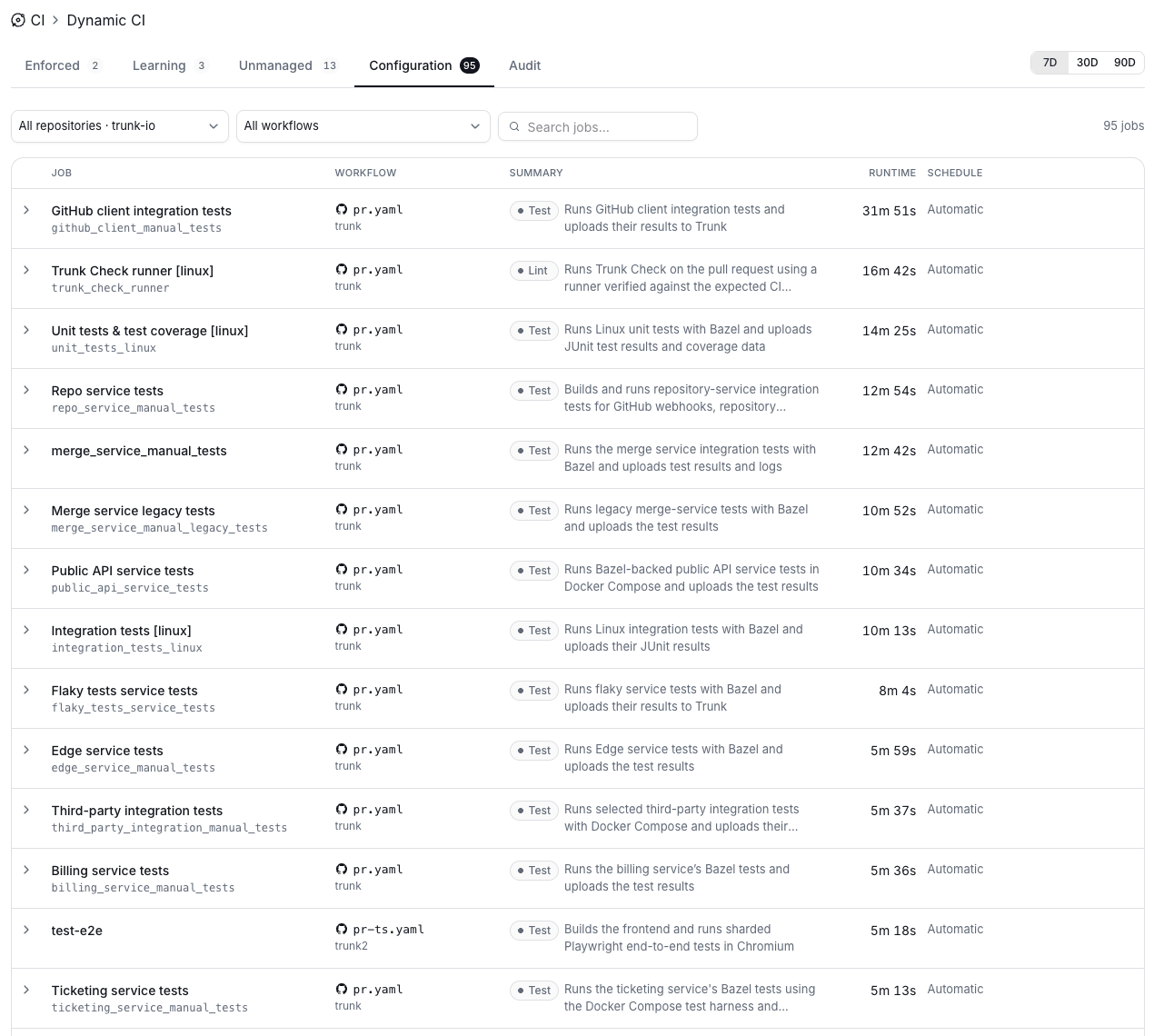
The Configuration tab lists every job managed by Dynamic CI across your repositories. Use the filters at the top to narrow the list:- Repositories: show jobs from one repository or all of them.
- Workflows: show jobs from a specific workflow file, such as
pr.yaml. - Search jobs: find a job by its name or ID.
Schedule
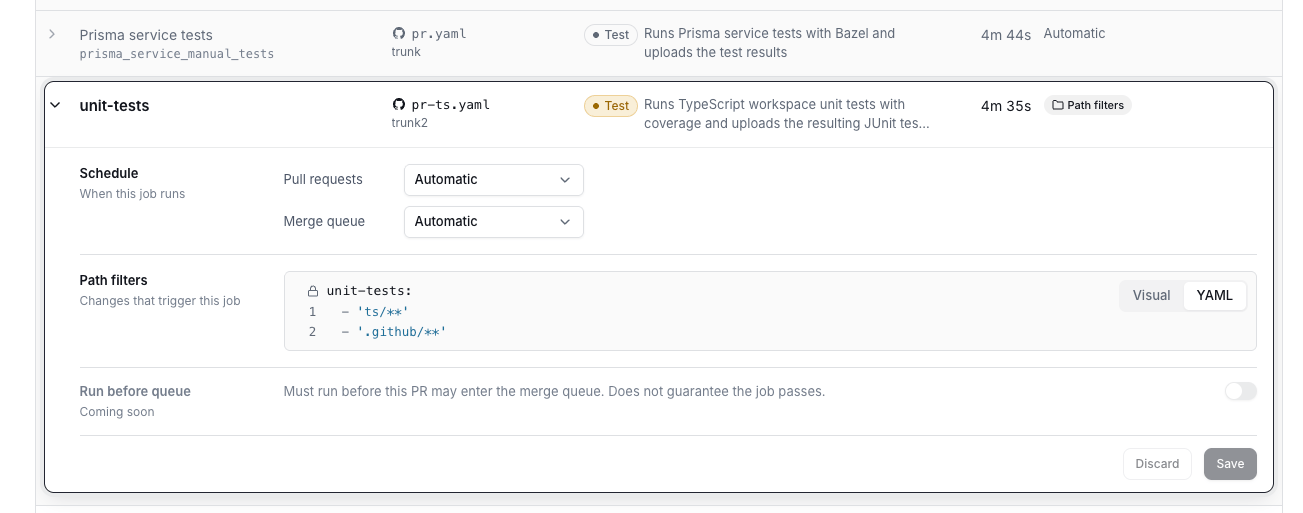
The schedule controls how Dynamic CI evaluates a job. You set it separately for Pull requests and the Merge queue.In the merge queue, Automatic runs every job by default to guarantee correctness. The merge queue is the final safeguard against regressions, so Dynamic CI does not skip jobs there on its own.
Matrix variations
A matrix job runs or skips as a whole by default. To skip some of its variations and run others, pick the keys to group it by under Matrix variations → Group by. See Matrix jobs.Run Before Queue
Makes sure the job has run on the pull request’s head commit before the pull request enters the merge queue. See Run Before Queue. In beta.
A job with any setting but Off shows an RBQ badge in its Schedule column.
Related
Force Run
Override Dynamic CI on a single pull request.
Merge queues
How Dynamic CI behaves on merge queue runs.
Run Before Queue
Run a job on the head commit before the pull request enters the queue.